When should you hire Presentation set 2 microphones?
When selecting Presentation set 2 microphones, start with its role in your complete setup. Establish the application first, then compare the version, connections and additional components.
A presentation set focuses on understandable speech for visitors. A speaker at a lecturer, a panel at the table and a round of questions from the room each ask for a different microphone format.
Which version of Presentation set 2 microphones do you need?
Create a short program and note the number of simultaneous speakers. Also, please indicate whether pause music, laptop sound or video should be displayed.
What do the components in this rental set do?
These components belong to this configuration. Plan the complete chain from source to use rather than judging a package only by the number of devices.
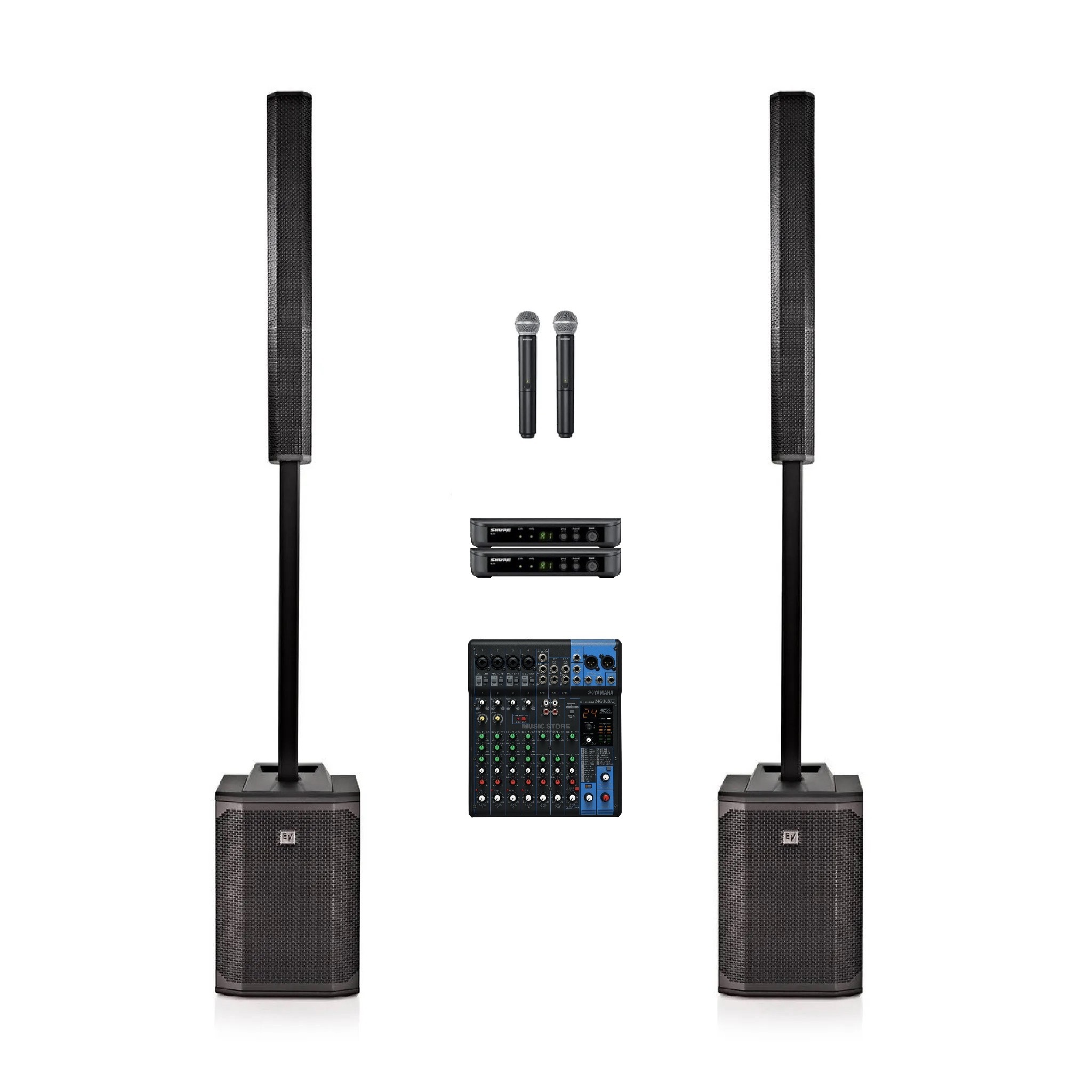
2× Electro-Voice Evolve 50 column speaker (black)
This part of the setup provides sound at the listening position. Background music, speech and a dance floor need different balances. Describe the space and listening distance, keep loudspeakers in front of the microphone position and test audibility in several locations.
2× Shure BLX2/B58 wireless handheld microphone transmitter
This component captures the voice. Plan who speaks or sings and their position relative to the loudspeakers. Confirm the connection to a receiver, mixer or microphone input for the selected version; a microphone alone is not a complete sound system.
1× Yamaha MG10XU live mixer
This is where the sound sources meet. Count the microphones, players and other sources you will use simultaneously. Establish a low-level balance during setup and decide who controls levels during the programme. Also confirm the connection to the loudspeakers.
How do you prepare Presentation set 2 microphones for use?
Check the voice from the rear seat. Let the speaker practice at normal volume and agree who will take over control during changes between sources.
Use the actual source device, planned programme and audience position during your test. Checking the complete setup during installation avoids searching for connections once your event has started.
Questions before hiring Presentation set 2 microphones
What should I check when hiring Presentation set 2 microphones for my venue?
Note the room, programme and other equipment. For Presentation set 2 microphones, start with the selected version and complete contents. Confirm the connection when adding your own equipment.
Is there automatic imagery included?
Presentation sound packages provide the listed audio equipment. If you also need slides or video, check whether the package includes a projector or display and add suitable equipment where needed.
Can a microphone be passed through the room?
This can be done with a suitable hand microphone setup. Please include in the program the transmission, dampening and the time for questions from the audience.
How do I book Presentation set 2 microphones for Haarlem?
Open the product page, select start and end dates and check the current rental price and availability. Add the required version and quantity. The basket and checkout are handled by Speaker Verhuur Amsterdam; reading a guide or printing a quotation does not create a booking.
Presentation set 2 microphones rental in Haarlem and the surrounding area
Planning an event in Haarlem, Beverwijk, Zandvoort or Bloemendaal? Allow time for setup, use and return when hiring Presentation set 2 microphones. Free collection and return are available by appointment at Theemsweg 40, 1043 BJ Amsterdam Sloterdijk. Arrange delivery, collection and any installation separately.
Presentation set 2 microphones rental: current price, deposit and dates. Also browse Presentation sets or ask Speaker Verhuur Haarlem for advice.