
★★★★★ 5.0 on Google · 151 reviews · Speaker Verhuur Amsterdam
Audio interface hire in Haarlem
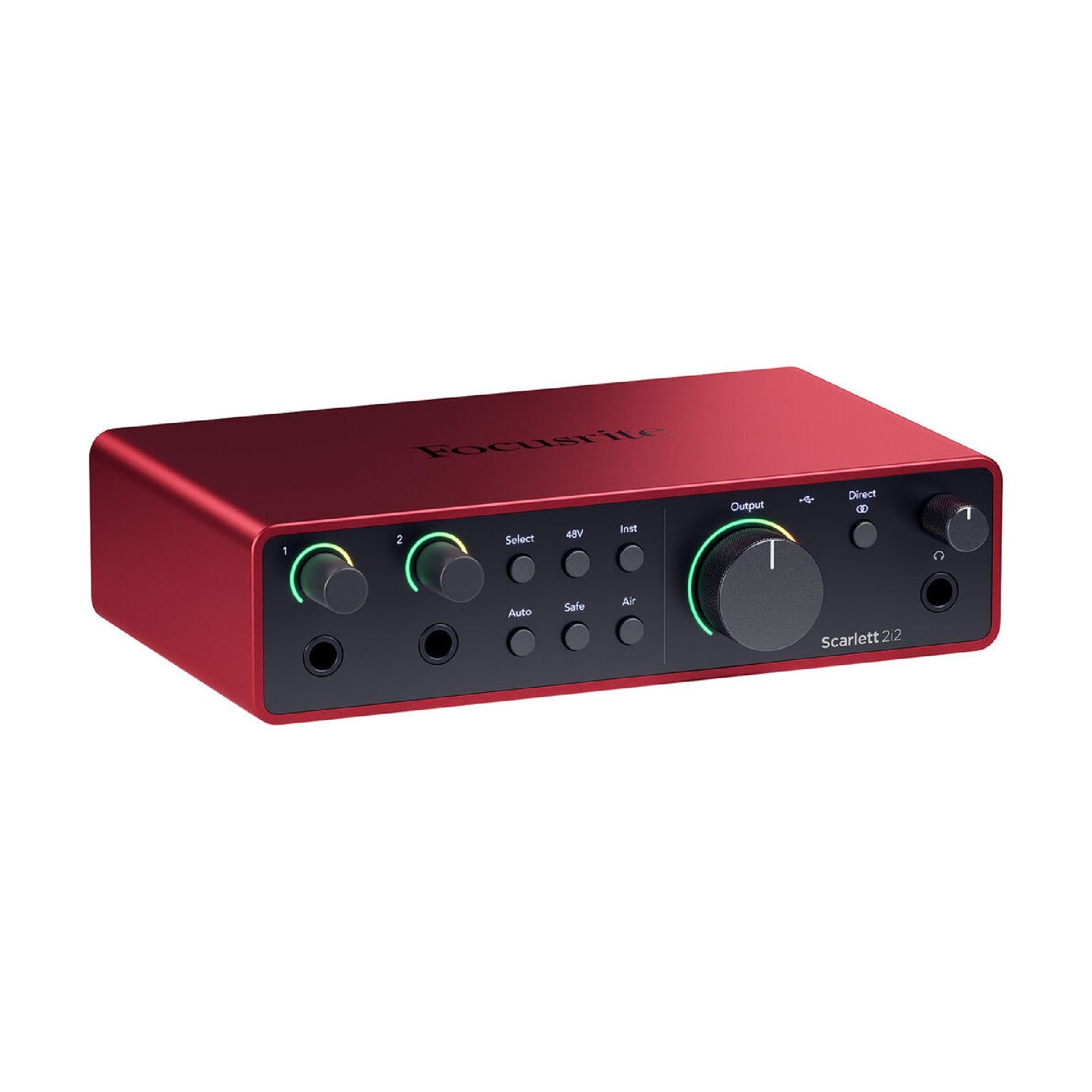
Connect suitable microphones or instrument sources to a computer recording. Compare the Focusrite Scarlett 2i2 4th Generation from inputs, software compatibility and monitoring; an interface is different from a complete podcast set.
✓ Free collection by appointment in Sloterdijk✓ Delivery, installation and collection available✓ Price or advice via WhatsApp within 10 minutes
Choose your rental period below
Clear choice and complete rental
What do you need for your application?
Connect suitable microphones or instrument sources to a computer recording. Compare the Focusrite Scarlett 2i2 4th Generation from inputs, software compatibility and monitoring; an interface is different from a complete podcast set.
Compare Focus Rite Scarlett audio interface
Check the current product data and the connection to your computer. The separate interface does not automatically contain microphones, headphones or recording software.
What does an audio interface do?
An audio interface connects your computer with your audio sources. The input, source control and conversion used are part of the recording chain. An interface is not an automatic replacement for a mixer with many separate sources and not a microphone in itself. Therefore, first, note which sources you want to record and which outputs you need to listen back to.
Rent an interface for podcast, voice-over or instrument
An interview, solo voiceover and instrument recording each require appropriate sources and settings. Check how many separate inputs support the concrete interface and what types of signals are heard on it. A adapter cable does not automatically make an unsuitable source route correct. Podcast microphone hire in Haarlem or choose a Complete podcast set hire in Haarlem if you need the other parts.
Check computer, connection and software in advance
Pass your computer, operating system and desired recording program and check the manufacturer's current support. The plug format alone does not say all functions are working. Get a valid software license and test the interface with the actual computer before your scheduled recording session in Haarlem. After a short test, also open the saved file to check if the correct source is included.
Listen back without confusing recording and volume
The volume on the headphones is not the same as the recorded input level. Check the meters and the stored recording and keep the monitor route separately in view. Ask which monitoring the selected device supports and tune it to the software. A loud headphone does not make a weak or upset recording better.
Rent advice for your recording chain
Send for Connecting opinion The microphones, computer and software. Check cables, power supply and necessary accessories in the selection. Pick-up is by appointment in Amsterdam Sloterdijk; discuss installation when you want help with the complete connection. Technical background: Focus Rite on podcast recordings.
Practical rental guides for this choice
Answer before you rent
Frequently asked rental questions
Find answers about equipment choices, setup and rental arrangements.
Is a computer or software included?
Only if it is explicitly in the chosen composition. Check license, system requirements and connection separately.
Can I get loose leads?
Check the capabilities of the concrete recording chain and the selected settings. A USB port alone is not evidence of separate tracks.
Are cables and holders always included?
Check the real spare parts list of the version. A separate device does not automatically contain all accessories for your setup.
Can I take it at home or at the office in Haarlem?
This can be done when the space and the setup are appropriate. Check background noise, reverb and an undisturbed recording period.
Is the recording included?
Equipment rental, recording and finishing are separate tasks.
Can I get someone to participate remotely?
Discuss the computer, the platform and the back and forth route and test with that participant. An additional video bubble window is not a complete connection plan.
Is the recording automatically stored?
Check the recording destination, start the recording consciously and test back listening. An audible monitor signal does not prove that a file is being written.
How do I avoid losing my recording?
Create a test file, check the storage and then store a controlled copy at your own destination before you return the rental equipment.
Is an interface the same as a mixer?
No. Compare the specific in-line arrangements, outputs and recording function. A compact interface does not replace every live mixer.
Can I connect every number of microphones?
No. Check the actual number of appropriate inputs and the supported sources of the concrete implementation.
Does headphone volume change the recording level?
Treat monitoring and input level as separate settings. Check the real recording instead of just listening volume.
Can I connect an instrument directly?
Check the instrument output signal and the supported input and setting of the chosen model.
Talk to us about your setup
Need questions or last-minute equipment?
Tell us what you are organizing in Haarlem or around the world. We will help you with the choice of equipment, a quote and the delivery appointment. Do you need anything last-minute? Please contact us to discuss the possibilities.
WhatsApp us
Send your plans or ask your question right away.
Open WhatsAppMail us
info@speakerverhuuramsterdam.nl
Send an e-mailCall us
020 308 6033
Call usPlan your event
Rent audio interface in Haarlem for your program
Pass on your program, location and desired rental period. We help you choose the devices and connections as one suitable combination.
Pick up in Amsterdam Sloterdijk · Delivery by appointment